
By Marios — founder of pcprice.watch, tracking eBay hardware prices across 7 markets since January 2025
TL;DR: No, you cannot use DDR3 and DDR4 together. They have different physical slots, different voltages, and are completely incompatible. Upgrading from DDR3 to DDR4 requires a new motherboard and CPU. In 2026, a full used-market AM4 platform upgrade runs €140-200.
Key Takeaways
- DDR3 and DDR4 are physically and electrically incompatible — different notch positions, pin counts, and voltages mean you cannot mix them under any circumstances.
- A full DDR3-to-DDR4 platform upgrade (Ryzen 5 5600 + B450 board + 16GB DDR4) costs roughly €140-200 on the used market in May 2026.
- At the same clock speed, DDR3 and DDR4 deliver within 1-2% gaming performance — the real upgrade benefit comes from the new CPU, not the RAM itself.
- For new builds in 2026, AM4 + DDR4 remains the best value; DDR5 is worth it only if buying a full new-generation platform.
Frequently Asked Questions
Can you use DDR3 and DDR4 in the same PC?
No. DDR3 and DDR4 are physically incompatible: different notch positions prevent insertion, and different voltages (1.5V vs 1.2V) and pin counts (240 vs 288) make them electrically incompatible anyway. There is no adapter or workaround. Upgrading from DDR3 to DDR4 requires a new motherboard and CPU. (VisionTek, 2024)
What happens if you put DDR4 RAM in a DDR3 slot?
You can’t physically seat it. The notch on a DDR4 stick doesn’t align with the key in a DDR3 slot, so the stick won’t press down flush. If someone forced it, the 1.5V supplied to DDR3 slots would overvolt the DDR4 module’s 1.2V circuitry and destroy it, likely damaging the motherboard’s memory controller as well. Don’t try it.
Is it worth upgrading from DDR3 to DDR4 in 2026?
Yes, if your DDR3 system is over 10 years old. A used-market AM4 platform upgrade runs €140-200 in May 2026 (Ryzen 5 5600 + B450/B550 board + 16GB DDR4-3200). The gaming performance gain is substantial, but it comes from the new CPU, not the RAM. DDR4 itself is nearly free at current prices. (pcprice.watch, May 2026)
Can you mix different DDR4 speeds?
Yes. Different DDR4 speeds, brands, and capacities can coexist in the same system without hardware damage. Mixed-speed sticks run at the slowest installed speed. Mixed capacities work fine and give you the total combined GB. For best performance, use matched pairs of the same speed and capacity in the correct dual-channel slots as specified in your motherboard manual.
Should you build with DDR4 or DDR5 in 2026?
For budget and mid-range builds, DDR4 is the better value. AM4 platforms with Ryzen 5000 CPUs deliver 90-95% of gaming performance at significantly lower cost than comparable DDR5 platforms. DDR5 makes sense if you’re buying a full new-generation platform from scratch: AM5 or Intel LGA 1851. Don’t add DDR5 cost to an otherwise budget-focused build for gaming.
Related guides:
- Motherboard buying guide — which AM4 and LGA 1700 boards are worth buying used in 2026
- GPU buying guide — if you’re upgrading your platform, plan the GPU alongside it
- Used PC parts price tracker — track live DDR4 and DDR5 RAM prices across 7 eBay markets
Sources:
- DDR4 SDRAM — Wikipedia — DDR4 voltage (1.2V), pin count (288), and speed specifications
- DDR5 SDRAM — Wikipedia — DDR5 voltage (1.1V) and performance specifications
- VisionTek — Key differences between DDR2, DDR3, DDR4, and DDR5 — physical compatibility and voltage comparison across generations
- ATP — DDR4 vs DDR3: Key Differences, Speed, and Compatibility — detailed DDR3-to-DDR4 migration considerations
- AnandTech — ASRock B150M Combo-G Review — Skylake combo board DDR3/DDR4 implementation
- Tom’s Hardware — DDR4 vs DDR5 gaming benchmarks — real-world gaming performance delta between DDR generations
- pcprice.watch — used eBay market prices for AM4 components, May 2026
Why Can’t You Mix DDR3 and DDR4?
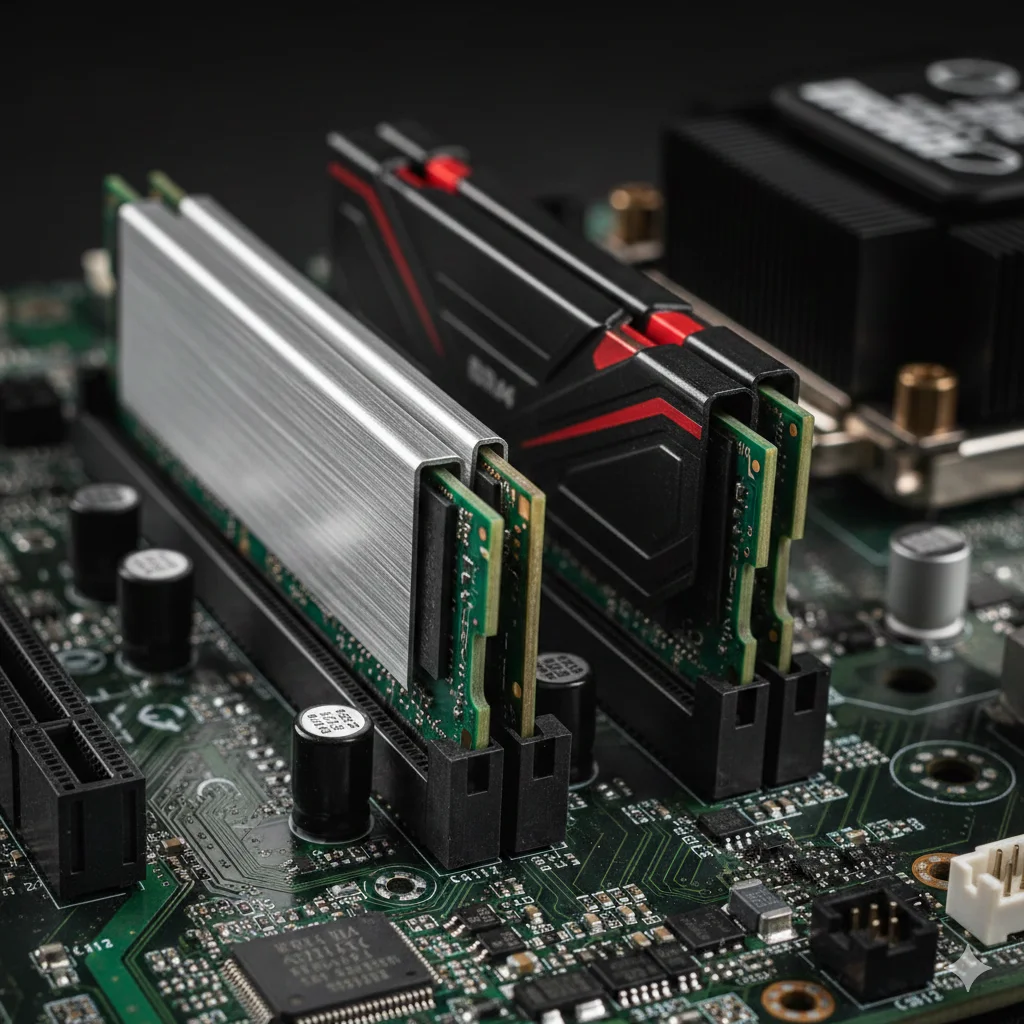
DDR3 and DDR4 are physically incompatible by design. The key notch on a DDR3 stick sits closer to the center of the edge connector, while DDR4’s notch is offset toward one end. A DDR4 stick simply won’t seat in a DDR3 slot, and vice versa. This is intentional, preventing accidental damage. (ATP Electronics, 2024)
Beyond the physical difference, the electrical specifications are fundamentally different:
| Spec | DDR3 | DDR4 |
|---|---|---|
| Voltage | 1.5V (1.35V for DDR3L) | 1.2V |
| Pin count | 240 pins | 288 pins |
| Speeds | 800-2133 MHz | 2133-3600+ MHz |
| Capacity per stick | Up to 16GB (rare) | Up to 32GB (common) |
| Prefetch | 8n | 8n (improved efficiency) |
Even if you somehow forced a DDR3 stick into a DDR4 slot, the voltage mismatch alone would prevent it from working. The 0.3V difference is enough to damage the stick or the motherboard’s memory controller. There’s no adapter, no workaround, and no BIOS setting that bridges the gap.
The Rare Exception: Combo Boards
Between 2015 and 2016, a handful of manufacturers released boards with both DDR3 and DDR4 slots for Intel’s 6th-generation Skylake CPUs. The ASRock B150M Combo-G and the BIOSTAR Hi-Fi H170Z3 gave builders the option to reuse their existing DDR3 while transitioning to the new platform. (AnandTech, 2016)
The critical limitation: you could only use one type at a time. These boards had separate memory channels for DDR3 and DDR4. The BIOS activated whichever type was installed. Populating both sets of slots simultaneously was not supported.
These combo boards were a transitional product and haven’t been manufactured since. There’s no DDR4-to-DDR5 equivalent. Modern platforms support exactly one RAM generation. If you find one of these boards secondhand, treat it as a curiosity, not a practical upgrade path.
What Does Upgrading from DDR3 Actually Cost in 2026?
If your system uses DDR3, you’re running a platform from roughly 2014 or earlier: Intel 4th/5th gen (Haswell/Broadwell) or AMD FX series. Moving to DDR4 means replacing three components. The good news is that DDR4 platforms are now at their cheapest point in history on the used market. (pcprice.watch, May 2026)
Here’s a realistic cost breakdown for a DDR3-to-DDR4 platform upgrade using eBay used prices in May 2026:
| Component | Used eBay Price (EUR) | Notes |
|---|---|---|
| DDR4 16GB kit (2x8GB DDR4-3200) | €20-30 | Plentiful supply; G.Skill, Corsair, Kingston |
| B450/B550 AM4 motherboard | €50-80 | B550 preferred for PCIe 4.0 support |
| Ryzen 5 5600 | €70-90 | Best value AM4 CPU in 2026 |
| Total platform upgrade | €140-200 | Excluding storage, case, PSU, cooler |
The Ryzen 5 5600 is the standout value pick here. It’s a 6-core/12-thread CPU that still competes with current mid-range options, and prices have dropped steadily since the AM5 transition. Pair it with a B550 board for PCIe 4.0 support, and you have a platform that’ll serve you well for another 3-4 years.
If you’re also considering a GPU upgrade alongside the platform change, check the GPU buying guide — it makes sense to plan both together rather than upgrading the platform and hitting a GPU bottleneck immediately.
Does RAM Generation Actually Matter for Gaming?
Less than most people think. At the same clock speed, DDR3 and DDR4 deliver within 1-2% gaming performance in most titles. The memory controller and CPU architecture matter far more than the RAM generation itself. This is why the DDR3-to-DDR4 upgrade felt underwhelming for many users who only swapped the RAM on a combo board. (TechPowerUp, 2020)
Here’s a comparison of the key memory characteristics at typical operating speeds:
| Metric | DDR3-1600 | DDR4-3200 | DDR5-4800 |
|---|---|---|---|
| Theoretical bandwidth | 25.6 GB/s | 51.2 GB/s | 76.8 GB/s |
| Typical CAS latency | CL11 | CL16 | CL40 |
| True latency (ns) | ~13.75 ns | ~10.0 ns | ~16.7 ns |
| Gaming fps delta vs prev. gen | baseline | +1-2% | +0-3% |
DDR4-3200 has better bandwidth and lower true latency than DDR3-1600, but gaming engines rarely saturate memory bandwidth. The bottleneck is almost always the CPU or GPU. Real-world gaming fps differences between DDR3-1600 and DDR4-3200 on equivalent CPUs are within measurement noise for most titles.
The real performance gain when upgrading from a DDR3 platform comes from moving to a modern CPU with a better microarchitecture, more cores, and higher IPC. The RAM is almost incidental to that improvement.
When Does RAM Generation Actually Matter?
RAM generation matters most in workloads that push memory bandwidth continuously. Content creation, video encoding, and large-dataset processing can see meaningful differences between DDR3 and DDR4, and between DDR4 and DDR5. Gaming is largely not on that list.
Workloads where RAM generation has a measurable impact:
- Video encoding (x264/x265): Encoding large 4K files benefits from higher memory bandwidth. DDR4-3200 vs DDR3-1600 can show 8-12% throughput gains in sustained encoding workloads.
- 3D rendering (Blender, Cinema 4D): Scene data for complex scenes can saturate bandwidth. More bandwidth reduces stall time.
- Large dataset processing: Scientific computing, machine learning model training, and database operations all benefit from sustained bandwidth.
- Virtual machines: Running multiple VMs simultaneously stresses both capacity and bandwidth.
Workloads where RAM generation makes almost no difference:
- Gaming (single GPU): Frame rates are overwhelmingly CPU and GPU bound. The memory subsystem is rarely the constraint.
- Web browsing and office apps: These are nowhere near bandwidth-limited. Even DDR3-1333 handles them fine.
- Light photo editing: Lightroom and Photoshop matter more about total capacity (16GB+) than bandwidth.
The DDR5 hype for gaming deserves scrutiny here. DDR5’s theoretical bandwidth advantage over DDR4 is substantial, but gaming engines don’t use it. Reviews of DDR5 vs DDR4 platforms with the same CPU show 1-5% gaming fps differences in most titles. The bigger factor is whether you’re running a matched pair in dual-channel mode, which matters far more than the RAM generation. (Tom’s Hardware, 2024)
Which DDR4 Platform Should You Upgrade To?
In 2026, three DDR4 platform families are worth considering on the used market. Each has a different trade-off between price, performance, and upgrade ceiling.
Intel LGA 1200 (10th/11th Gen)
Intel’s 10th-gen (Comet Lake) and 11th-gen (Rocket Lake) CPUs use DDR4 exclusively on LGA 1200. Core i5-10400 and i5-11400 are capable CPUs that can be found cheaply. The downside: LGA 1200 is a dead-end socket. Intel moved to LGA 1700 with 12th gen, so there’s no upgrade path here. Buy an LGA 1200 platform only if the price is exceptional and you won’t need to upgrade the CPU later.
Intel LGA 1700 (12th/13th/14th Gen)
LGA 1700 spans three CPU generations and supports both DDR4 and DDR5 depending on the motherboard. B660/H670/Z690 boards often came in DDR4 variants, which are now affordable on the used market. A Core i5-12400 with a DDR4 B660 board is a solid combination. The socket is at end of life with 15th gen moving to LGA 1851, but you can still upgrade within three generations of CPUs on the same board.
AMD AM4 (Ryzen 3000/5000) - Best Value in 2026
AM4 is the clear recommendation for DDR4 builds in 2026. The Ryzen 5 5600 delivers 6 cores and 12 threads with an IPC level that matches or beats Intel’s 12th-gen i5 in most tasks, and the used market has abundant supply. B450 and B550 boards are plentiful, well-supported, and cheap.
The AM4 sweet spot right now is Ryzen 5 5600 + B550 + 16GB DDR4-3200. Total cost: €140-200 on eBay. That combination handles 1080p and 1440p gaming without CPU bottlenecks in virtually every title. It also supports PCIe 4.0 on B550, which matters if you’re pairing it with an RTX 3070 or newer GPU.
Can You Mix Different DDR4 Sticks?
Yes, and this is one of the practical advantages of DDR4 over older generations. Unlike mixing DDR generations (which is impossible), you can combine different DDR4 modules within the same system without hardware risk.
- Different brands: A Corsair 8GB stick works alongside a Kingston 8GB stick. The memory controller handles mixed vendor sticks without issue.
- Different speeds: A DDR4-3200 stick alongside a DDR4-2666 stick will both run at 2666 MHz, the slower speed. You won’t damage anything, but you lose the benefit of the faster stick.
- Different capacities: An 8GB stick with a 16GB stick works fine, giving you 24GB total. The dual-channel pairing will operate in flex mode (partially dual-channel).
For best performance, use matched pairs in the correct slots for dual-channel mode. Check your motherboard buying guide for slot population rules. Most boards want the second and fourth slots from the CPU populated first for two-stick configurations.
What About DDR5?
DDR5 follows the same pattern as every previous generation transition: physically incompatible with DDR4, different voltage (1.1V), and different pin layout despite the same 288-pin count. Intel 12th-gen boards with DDR4 support are a separate PCB design from DDR5 boards, even on the same socket. (Wikipedia - DDR5 SDRAM, 2024)
Current DDR5 platforms in 2026:
- AMD AM5 (Ryzen 7000/8000/9000): DDR5 only. No DDR4 option.
- Intel LGA 1851 (Core Ultra 200): DDR5 only.
- Intel LGA 1700 (12th-14th gen): DDR4 or DDR5 depending on the board variant.
If you’re building new today and buying everything fresh, DDR5 is the forward-looking choice. DDR5-6000 kits have come down significantly in price, and AM5 gives you a long upgrade runway. But the performance delta for gaming remains narrow: 90-95% of gaming performance is available on a well-configured DDR4 AM4 platform at a fraction of the cost.
Use the price comparison tool to track both DDR4 and DDR5 RAM prices across eBay markets and find when kits hit their low points.