

By MariosTheof — founder of pcprice.watch, tracking eBay hardware prices across 7 markets since January 2025
A used ThinkPad gets you business-grade build quality, the keyboard people won’t shut up about, and real repairability â often for two figures. The catch is knowing which model to buy and what to actually pay. This guide answers both using completed eBay sold-listing data (updated monthly): what each model clears at right now, how much sellers are over-asking, and which machine fits your budget and use case.
Every price below is a real median from eBay sold listings across seven markets (US, UK, Germany, France, Italy, Spain, Poland), normalized to euros and updated June 2026. Unlike a generic “under $150” buyer’s guide, you’ll see the exact number a model trades at — and the gap between what sellers ask and what buyers pay, which is your negotiating room.
Compare live ThinkPad prices across all 7 markets
Key Takeaways
- The T480 is the best all-round used ThinkPad in 2026 — €175 median, quad-core, DDR4, Thunderbolt 3, dual storage bays — and by far the most liquid model (200+ sold/month).
- The asking-vs-sold gap is huge: T480 listings ask €257–375 but units clear at €175. Anchor every offer to the sold median, not the sticker.
- For tight budgets, the T430 (€96) and T440p (€102) give you a repairable 14-inch ThinkPad for under a third of a T480.
- The classic 7-row keyboard ended with the xx20 generation (T420 €84, X220 €107). Everything from the T430/X230 on uses the 6-row chiclet.
- The cheapest market varies by model — Germany for older T-series, Poland for the T440p, Spain/UK for newer machines. Check each model’s per-country page before buying.
Quick Picks by Use Case
Why Buy a Used ThinkPad?
A used ThinkPad gives you more durable, more repairable hardware than a new consumer laptop at the same price — that is the entire thesis, and it holds up because of how these machines enter the used market. Corporate fleets lease ThinkPads on three-to-four-year cycles, then offload them in bulk through refurbishers. That flood of off-lease supply is why a machine that cost four figures new sells for two figures used, often with years of service left in it.
Here is what you are actually buying into:
- The keyboard. ThinkPad keyboards are the reason many people refuse to use anything else — deep travel, a sculpted layout, and the red TrackPoint nub that lets you type and point without leaving the home row.
- Repairability. Most ThinkPads from this era have user-replaceable RAM, storage, battery, and Wi-Fi card. Lenovo publishes the hardware maintenance manual for every model, with exploded diagrams and part numbers, for free.
- Build quality. Magnesium roll cages, spill-resistant keyboards, and MIL-SPEC durability testing. These were built to survive a commute, not a spec sheet.
- Linux support. ThinkPads are the de facto reference hardware for desktop Linux. If you want to run Fedora, Ubuntu, or Arch with everything working out of the box, this is the safest hardware bet you can make.
- Docking and accessories. A massive secondhand ecosystem of docks, batteries, palmrests, and spare parts keeps these machines cheap to own and upgrade.
The trade-off is performance ceiling and screen quality. A 2012 ThinkPad will browse, write, and code happily but will not edit 4K video, and many budget configs shipped with dim low-resolution panels. The rest of this guide is about navigating those trade-offs with real numbers.
Decoding ThinkPad Model Numbers
ThinkPad naming looks cryptic but encodes exactly what you need to know. For the 2010s models in this guide, read the name in three parts.
The letter — the series (form factor):
- T — the mainstream 14"/15" workhorse. The default choice; best balance of size, power, and ports.
- X — the ultraportable. 12.5"–13" of screen, lighter, fewer ports, no optical drive. Great for travel and writing.
- X1 Carbon — the flagship ultrabook. Carbon-fibre chassis, thin and light, premium screen — but soldered RAM and no removable battery.
- W / P — mobile workstations. Bigger, heavier, with workstation GPUs for CAD and 3D. Out of scope for most buyers, and rarer on the used market.
- L / E — budget business lines. Cheaper plastics, fewer premium touches. Usually not worth chasing when a T-series of the same era costs the same used.
The first digit after the letter — screen size: a 4 means 14" (T430, T480), a 5 means 15.6" (T530). On the X-series, 2 means 12.5" (X230).
The second digit — the generation, which tells you the CPU age:
| Digit | Year | Intel generation | Codename |
|---|---|---|---|
| x20 | 2011 | 2nd gen | Sandy Bridge |
| x30 | 2012 | 3rd gen | Ivy Bridge |
| x40 | 2013–14 | 4th gen | Haswell |
| x70 | 2017 | 6th/7th gen | Skylake / Kaby Lake |
| x80 | 2018 | 8th gen | Coffee Lake |
The third digit and any suffix. The final digit marks the CPU vendor — 0 for Intel, 5 for AMD — so every model in this guide ends in 0. A trailing letter modifies the variant: p means the performance chassis (a socketed or quad-core CPU and sometimes a discrete GPU, as in the T440p), while s means slim.
So a “T430” parses as: T-series (14" workhorse), 14-inch screen, 3rd generation, Intel — a 2012 Ivy Bridge machine. A “T480” is a T-series, 14-inch, 8th generation, Intel — 2018 Coffee Lake. Once you can read the number, you can read the spec ladder, because each generation jump is the single biggest factor in performance.
Used ThinkPad Prices at a Glance (June 2026)
Here is every model pcprice.watch tracks, sorted from cheapest to most expensive by median sold price. The “typical range” is the middle half of all sales — the 25th to 75th percentile — which is the band you should expect to pay in. “Sold/30d” is the monthly liquidity: higher means more listings to choose from and more stable pricing.
| Model | Median sold | Typical range | Sold/30d | Era / CPU gen |
|---|---|---|---|---|
| ThinkPad T420 | €84 | €51–113 | 16 | 2011 · 2nd gen |
| ThinkPad T430 | €96 | €69–115 | 31 | 2012 · 3rd gen |
| ThinkPad T440p | €102 | €88–124 | 28 | 2013 · 4th gen |
| ThinkPad X220 | €107 | €86–167 | 16 | 2011 · 2nd gen |
| ThinkPad X230 | €120 | €100–142 | 28 | 2012 · 3rd gen |
| ThinkPad T470 | €130 | €125–139 | 32 | 2017 · 6th/7th gen |
| ThinkPad X270 | €148 | €128–163 | 19 | 2017 · 6th/7th gen |
| ThinkPad T480 | €175 | €145–242 | 203 | 2018 · 8th gen |
| ThinkPad X1 Carbon Gen 4 | €259 | €249–281 | 7 | 2016 · 6th gen |
Two things to read from this table before you go deeper. First, liquidity matters: the T480 (203 sold/month), T470 (32), and T430 (31) are the easy buys — lots of supply, stable prices, room to negotiate. The X1 Carbon Gen 4 shows only 7 sales in 30 days, so its €259 median is a noisy, small-sample figure; treat it as a rough guide, not gospel. Second, the price ladder is shallow: the entire range from the cheapest usable machine to the best-value pick spans about €90. Stretching one tier up the ladder usually buys a meaningful jump in CPU generation and RAM type for very little money.
The Asking-vs-Sold Gap: Your Negotiating Room
The single most useful number in this guide is not any model’s price — it is the gap between what sellers ask and what units actually sell for. Sellers list optimistically; many of those listings never clear. The sold median is the truth, and the distance between the two is exactly how much you can negotiate.
The gap is widest on the newest, most “valuable-feeling” models:
| Model | Sold median | Live asking range (by market) | Overpay risk |
|---|---|---|---|
| ThinkPad T480 | €175 | €257 (FR) – €375 (ES) | +47% to +114% |
| ThinkPad T470 | €130 | €166 (ES) – €300 (FR) | +28% to +131% |
| ThinkPad X270 | €148 | €158 (GB) – €204 (DE/IT) | +7% to +38% |
| ThinkPad T440p | €102 | €90 (PL) – €217 (US) | −12% to +113% |
Read the T440p row carefully: in Poland the median asking price (€90) is actually below the cross-market sold median (€102), which means Polish listings are a genuine bargain and US listings (€217 asking) are wildly overpriced for the same machine. That is the whole argument for comparing markets before you buy.
Make a Best Offer at or just below the sold median, regardless of the asking price. On a T480 listed at €330, an offer of €160–175 is not lowballing — it is the market rate. Sellers who priced to the asking-price fantasy will counter; sellers who want to move stock will accept. Each model’s pcprice.watch page shows the live per-country asking prices, so you know which seller’s country to buy from.
How to read sold prices instead of asking prices
ThinkPad Specs Compared
Before the model-by-model breakdown, here is the whole lineup on one screen. This is the table to bookmark — it shows the two transitions that matter most when you shop: the 7-row to 6-row keyboard switch after 2011, and the DDR3 to DDR4 / USB-C jump in 2017.
| Model | Year | CPU gen | Screen (best option) | Max RAM | RAM type | Storage | Keyboard | USB-C / TB3 | Battery |
|---|---|---|---|---|---|---|---|---|---|
| T420 | 2011 | 2nd | 14" HD+ TN | 16GB | DDR3 | 2.5" + mSATA | 7-row | — | Removable |
| T430 | 2012 | 3rd | 14" HD+ TN | 16GB | DDR3 | 2.5" + mSATA | 6-row | — | Removable |
| T440p | 2013 | 4th (quad, socketed) | 14" FHD IPS | 16GB | DDR3L | 2.5" + mSATA | 6-row | — | Power Bridge |
| T470 | 2017 | 6th/7th | 14" WQHD IPS | 32GB | DDR4 | 2.5" + M.2 | 6-row | USB-C + TB3 | Power Bridge |
| T480 | 2018 | 8th (quad) | 14" WQHD IPS | 32GB | DDR4 | 2.5" + M.2 NVMe | 6-row | USB-C + TB3 | Power Bridge |
| X220 | 2011 | 2nd | 12.5" HD IPS | 16GB | DDR3 | 2.5" + mSATA | 7-row | — | Removable |
| X230 | 2012 | 3rd | 12.5" HD IPS | 16GB | DDR3 | 2.5" + mSATA | 6-row | — | Removable |
| X270 | 2017 | 6th/7th | 12.5" FHD IPS | 16GB (1 slot) | DDR4 | 2.5" + M.2 | 6-row | USB-C (no TB3) | Power Bridge |
| X1 Carbon G4 | 2016 | 6th | 14" WQHD IPS | 16GB (soldered) | LPDDR3 | M.2 only | 6-row | — (OneLink+) | Internal |
The pattern to internalize: everything from 2011–2014 (the xx20/xx30/xx40 machines) is DDR3, removable-battery, and has no USB-C — cheap, repairable, but slow by modern standards. Everything from 2017 on (the xx70/xx80 machines) is DDR4, faster, and has USB-C, but the chassis are slightly less open. The T480 sits at the best intersection of the two worlds.
ThinkPad Keyboards: The 7-Row vs 6-Row Divide
The keyboard is the reason most ThinkPad loyalists are loyal, and there is one historical split worth understanding before you buy, because it permanently divides the lineup.
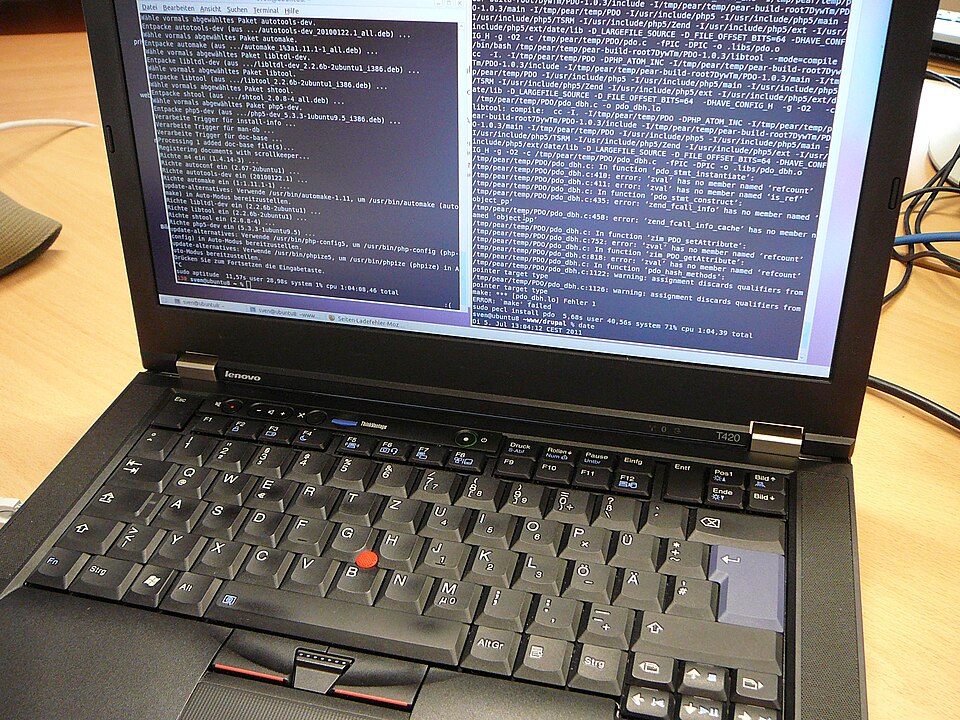
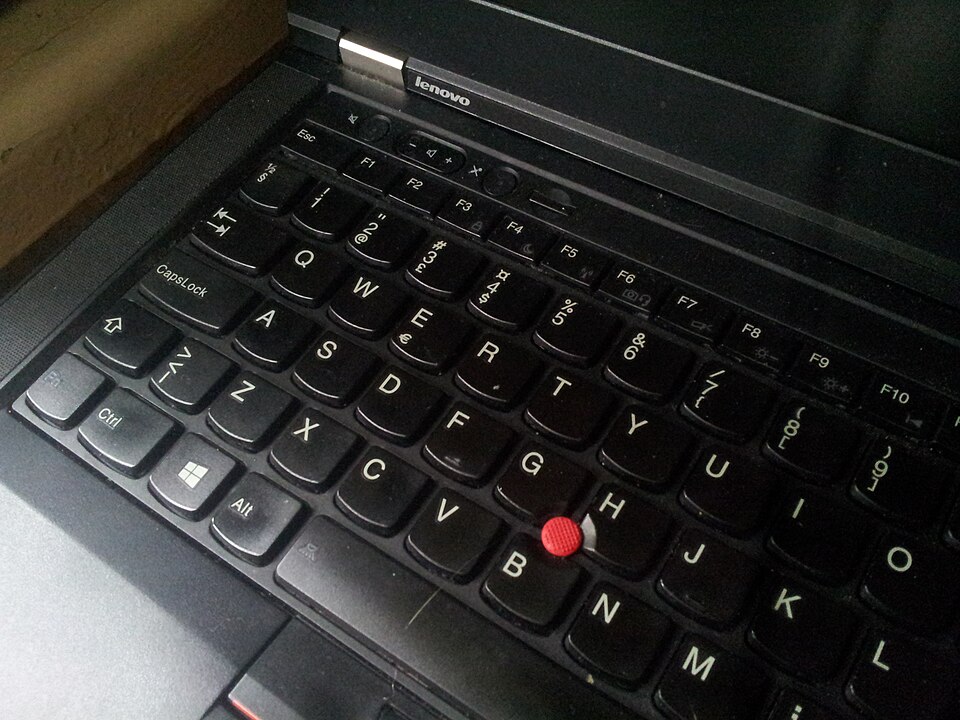
Through 2011, ThinkPads used the classic 7-row keyboard — a layout with dedicated rows that many typists consider the best laptop keyboard ever made. The last models to ship it were the T420, T520, and X220 (and their predecessors). In 2012, with the xx30 generation, Lenovo switched to the 6-row “Precision” chiclet keyboard that every later ThinkPad uses. It was controversial at launch and remains the dividing line in the enthusiast community.
What this means for you as a buyer:
- If you want the classic 7-row feel, buy an xx20 machine — a T420 (€84) or X220 (€107). That keyboard is a genuine reason these older, slower machines hold their value.
- If you want a modern CPU but the old keyboard, the X230 is the platform — there is a well-documented “classic keyboard mod” that swaps an X220 7-row keyboard into an X230, though it requires flashing the embedded controller and is not a beginner project.
- For everyone else, the 6-row chiclet is excellent — still deep-travel, still spill-resistant, still has the TrackPoint. The “downgrade” is real but small, and every modern ThinkPad uses it.
All of these keyboards keep the two features that define the ThinkPad typing experience: the red TrackPoint nub (pointing without leaving the home row) and the physical mouse buttons above the trackpad.
Which Used ThinkPad Should You Buy?
To cut through all of the above, here are the picks by use case, each anchored to its June 2026 sold median:
- Best overall value: ThinkPad T480 (€175) — quad-core, DDR4, Thunderbolt 3, dual storage, most liquid market. The one to buy if you only buy one.
- Best on a tight budget: ThinkPad T430 (€96) — repairable 14" Ivy Bridge with 16GB RAM support and the most listings under €100.
- Best price-to-performance: ThinkPad T440p (€102) — socketed quad-core that outruns every dual-core near its price, especially from a Polish seller around €90.
- Best ultraportable (classic): ThinkPad X220 (€107) — 7-row keyboard plus an IPS option in a 12.5" body.
- Best ultraportable (modern): ThinkPad X270 (€148) — the last fully serviceable 12.5" ThinkPad, DDR4 and Power Bridge.
- Best thin-and-light: ThinkPad X1 Carbon Gen 4 (€259) — only if weight beats upgradability for you.
- Best for tinkerers / privacy: ThinkPad X230 or T430 (€120 / €96) — the 1vyrain Coreboot-moddable generation.
Whatever you choose, the discipline is the same: buy the model that fits your needs, then pay the sold price, not the asking price. Check the live per-market numbers on each model’s page before you make an offer, and let the data — not the seller’s optimism — set what you pay.
Browse live ThinkPad prices across 7 markets →
Model-by-Model Recommendations
Every price is the June 2026 eBay sold median. Each card shows what to pay, who it’s for, and the specs that matter — click through for live per-market prices.
Tier 1: Under €100 — Cheap, Repairable, “Classic” Machines
- 2011 · 2nd gen
- Dual-core
- 16GB DDR3
- 14" TN
- Removable battery
The cheapest usable ThinkPad, and the last 14" with the prized classic 7-row keyboard.
Full breakdown
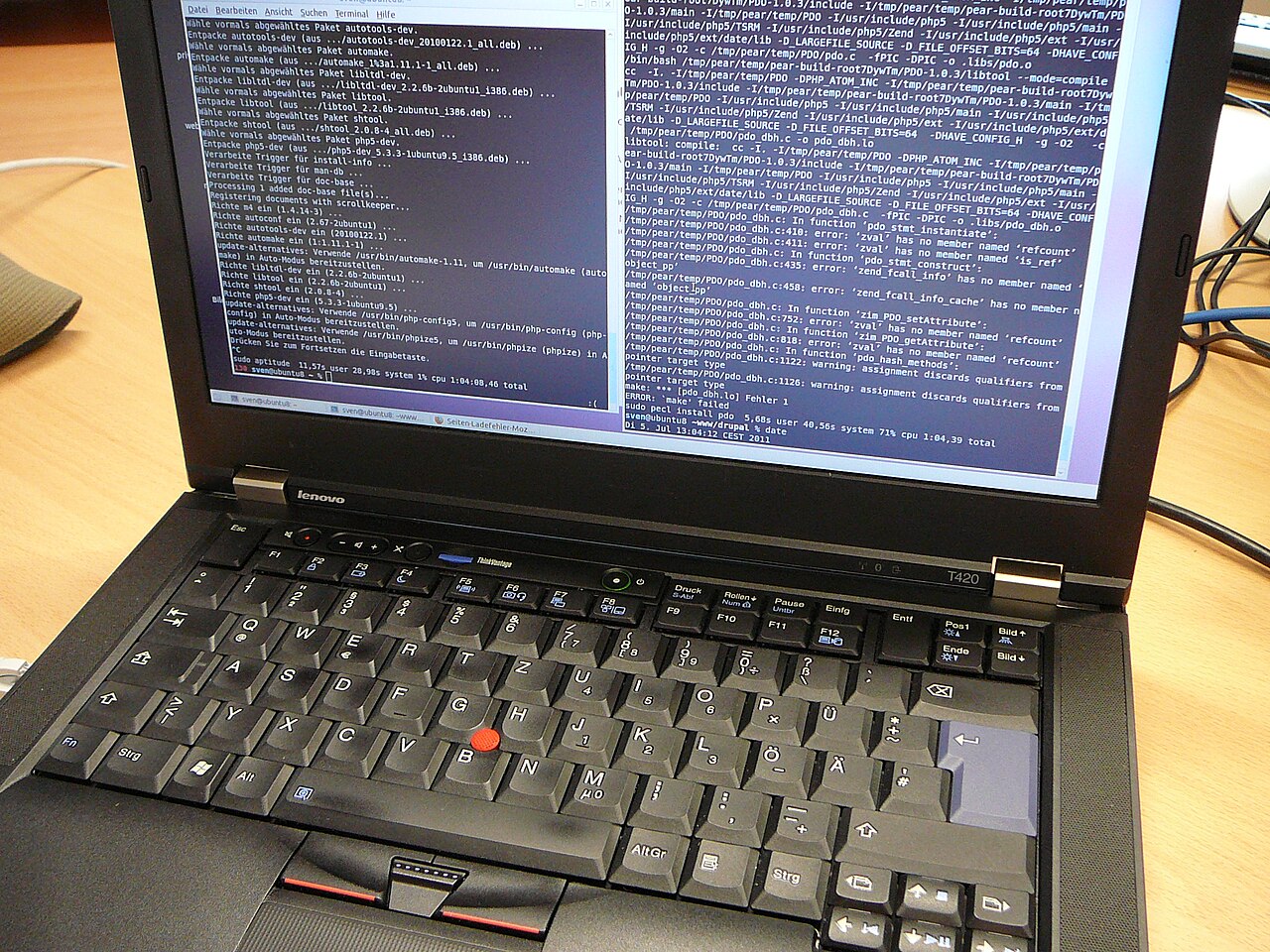
The T420 is the cheapest genuinely usable ThinkPad on this list, and the last 14" T-series with the beloved classic 7-row keyboard. It runs 2nd-generation Sandy Bridge Core i5/i7 chips — enough for browsing, office work, writing, and light coding — and takes up to 16GB DDR3 (8GB official, 16GB works reliably), a 2.5" SATA drive, plus an mSATA slot for a second SSD. The battery is removable, and there is a swappable drive bay. At a median of €84 — with sales as low as €39 at the 25th percentile — this is the machine for a near-disposable, infinitely repairable laptop for a child, a workshop, or a travel beater. Its limits: a dim 1366×768 TN panel on most configs, and a CPU two generations behind modern web apps.
- 2012 · 3rd gen
- 16GB DDR3
- 14" HD+
- 6-row keyboard
- 31 sold/mo
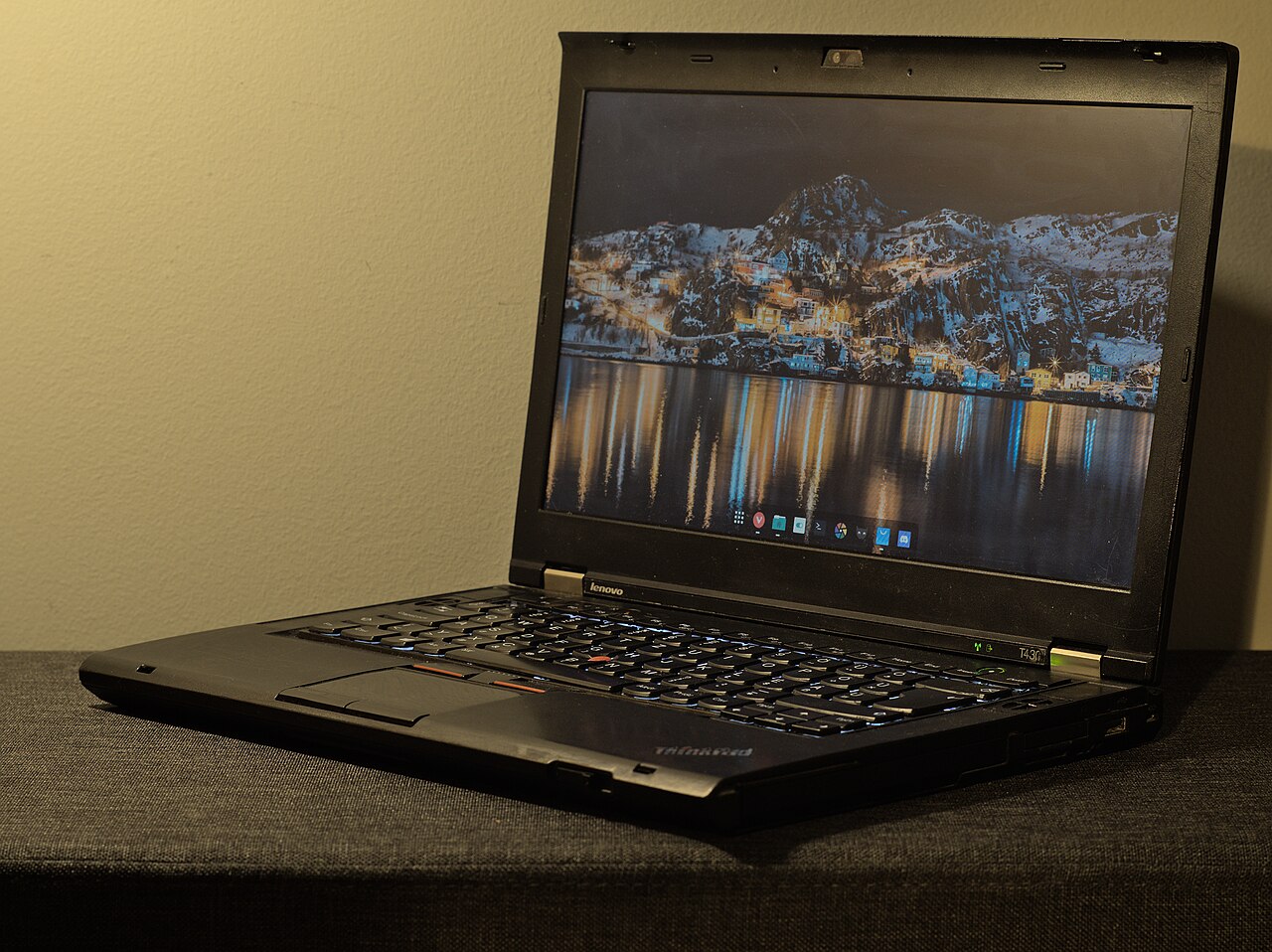
The best cheap all-rounder — Ivy Bridge, 16GB DDR3, and the most listings under €100.
Full breakdown
The T430 bumps to 3rd-generation Ivy Bridge and supports up to 16GB of DDR3, a meaningful step up from the T420 for €12 more at the median. It is also the most liquid sub-€100 model (31 sold in 30 days), so you will have plenty of listings to choose from. The catch for purists: the T430 introduced the 6-row chiclet keyboard. The upside for tinkerers: the xx30 generation is Coreboot-moddable via the 1vyrain exploit, which appeals to privacy-focused buyers. Germany has the cheapest asking prices (around €130 live) versus €160 in Spain. A 16GB-RAM, SSD-equipped T430 around the €96 median is hard to beat for the money.
- 2011 · 2nd gen
- 16GB DDR3
- 12.5" IPS opt
- 7-row keyboard
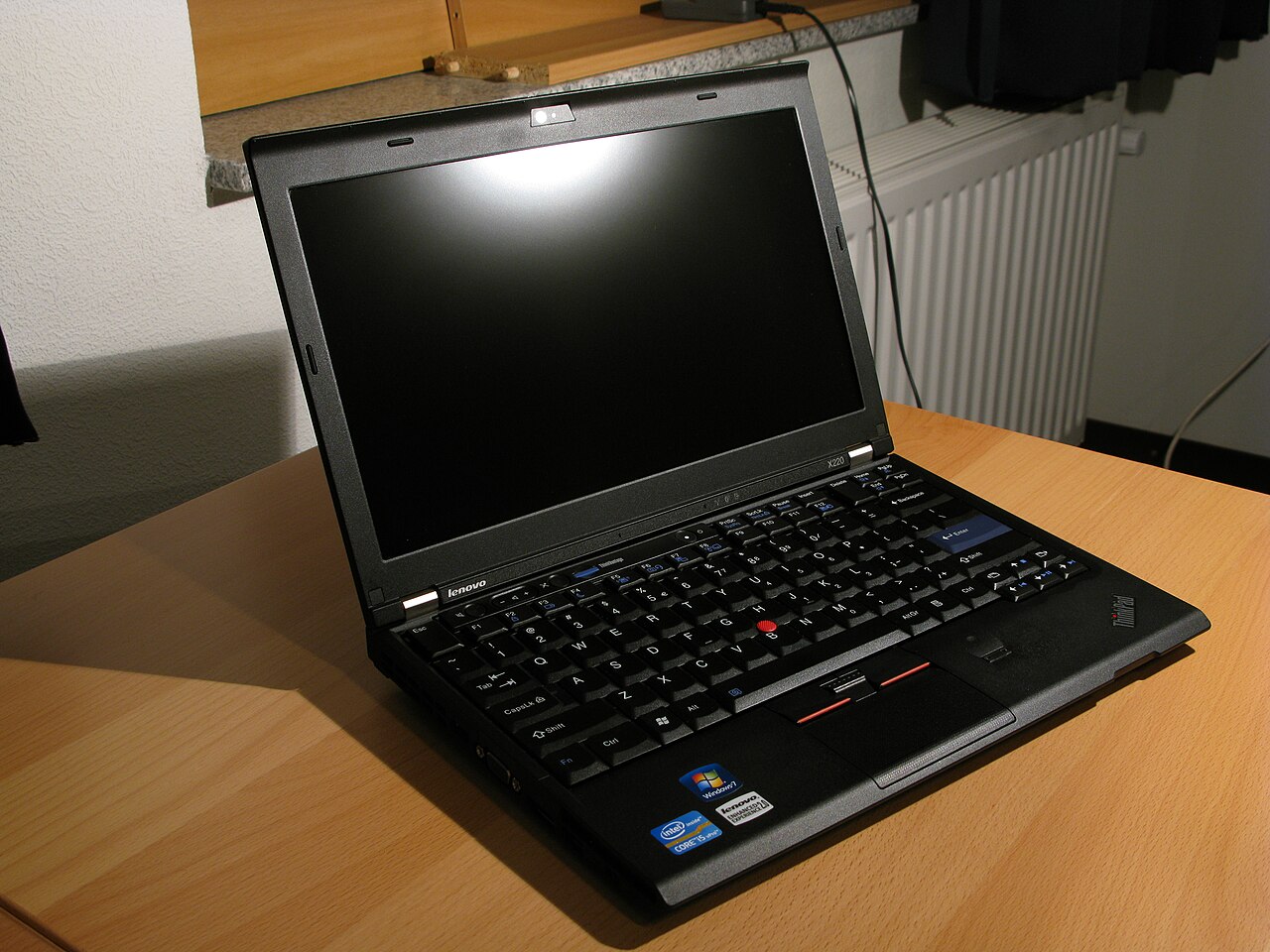
The cult 12.5" ultraportable — classic 7-row keyboard plus a rare optional IPS screen.
Full breakdown
The X220 is the small-laptop equivalent of the T420: 2nd-gen Sandy Bridge, the classic 7-row keyboard, and — crucially — an optional IPS panel, rare and prized in a 12.5" laptop of that era. It is the enthusiast darling of the X-series for exactly those two reasons. At €107 it costs more than the bigger T420 because demand for the compact form factor and the IPS screen runs hot; the wide €86–167 range tracks whether a unit has the coveted IPS display or the basic TN one. Buy this for the smallest, most travel-friendly ThinkPad that still has the classic keyboard — and pay up for an IPS config if you stare at the screen all day.
Tier 2: €100–150 — More Power, Better Screens
- 2013 · 4th gen
- Quad-core
- 16GB DDR3L
- 14" FHD opt
- 6-row keyboard
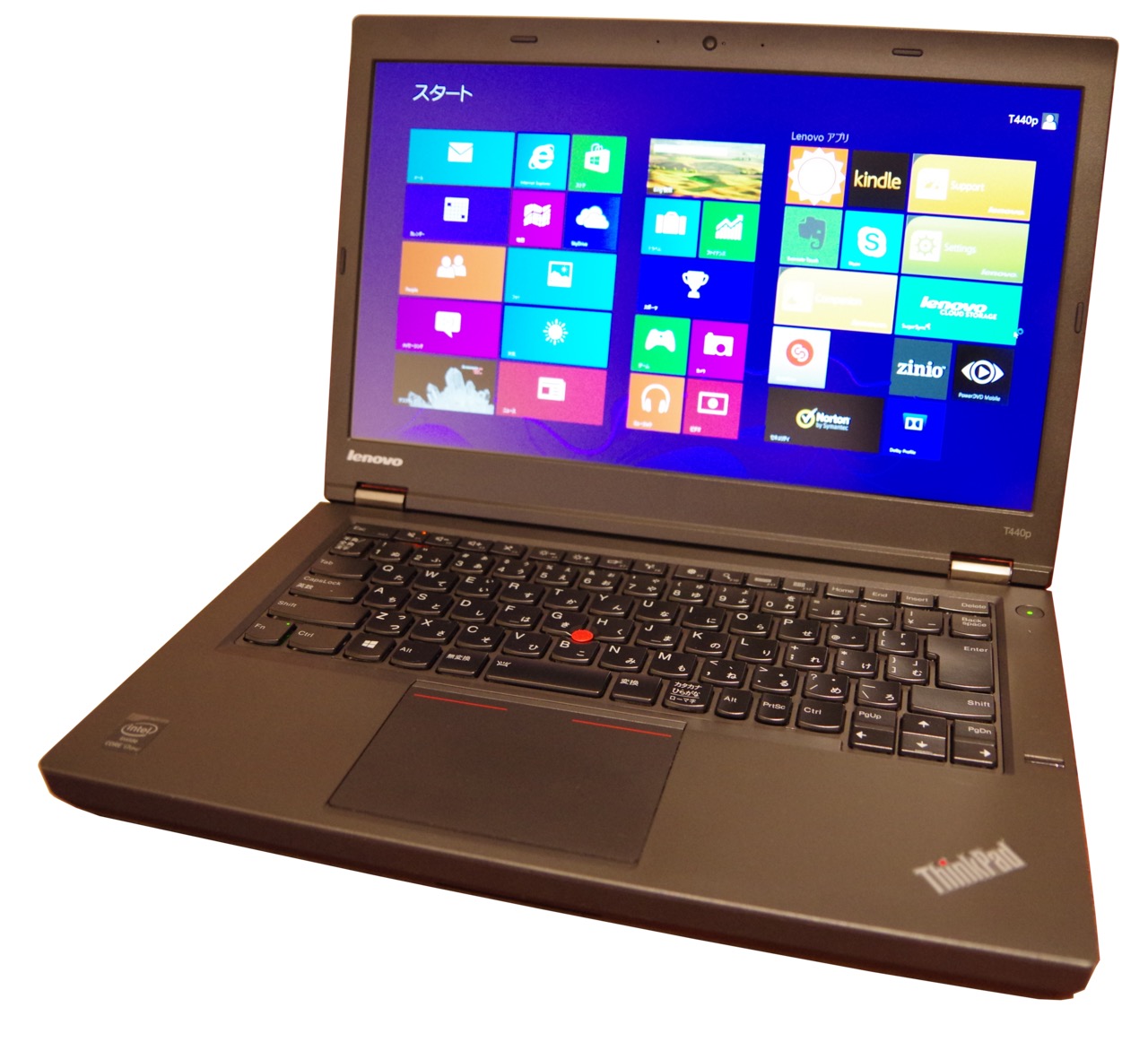
The quad-core bargain — the only model here with a socketed, upgradeable CPU.
Full breakdown
The T440p is the value enthusiast’s pick. The “p” matters: unlike the thin T440/T440s, the T440p is the performance chassis and accepts socketed quad-core Haswell CPUs (up to an i7-4800MQ / 4900MQ), dramatically faster for compiling, VMs, and multitasking than any dual-core model around it — for a €102 median. Because the CPU is not soldered, you can upgrade it later, which almost no modern laptop allows. It takes up to 16GB DDR3L, has a 2.5" bay plus mSATA, an optional FHD IPS screen, and the Power Bridge battery. The standout market signal: Poland’s median asking price is €90, below the €102 cross-market sold median, while the US asks €217 for the same machine. From a Polish seller, the T440p is arguably the best price-to-performance ThinkPad in this guide.
- 2012 · 3rd gen
- 16GB DDR3
- 12.5" IPS opt
- 6-row keyboard
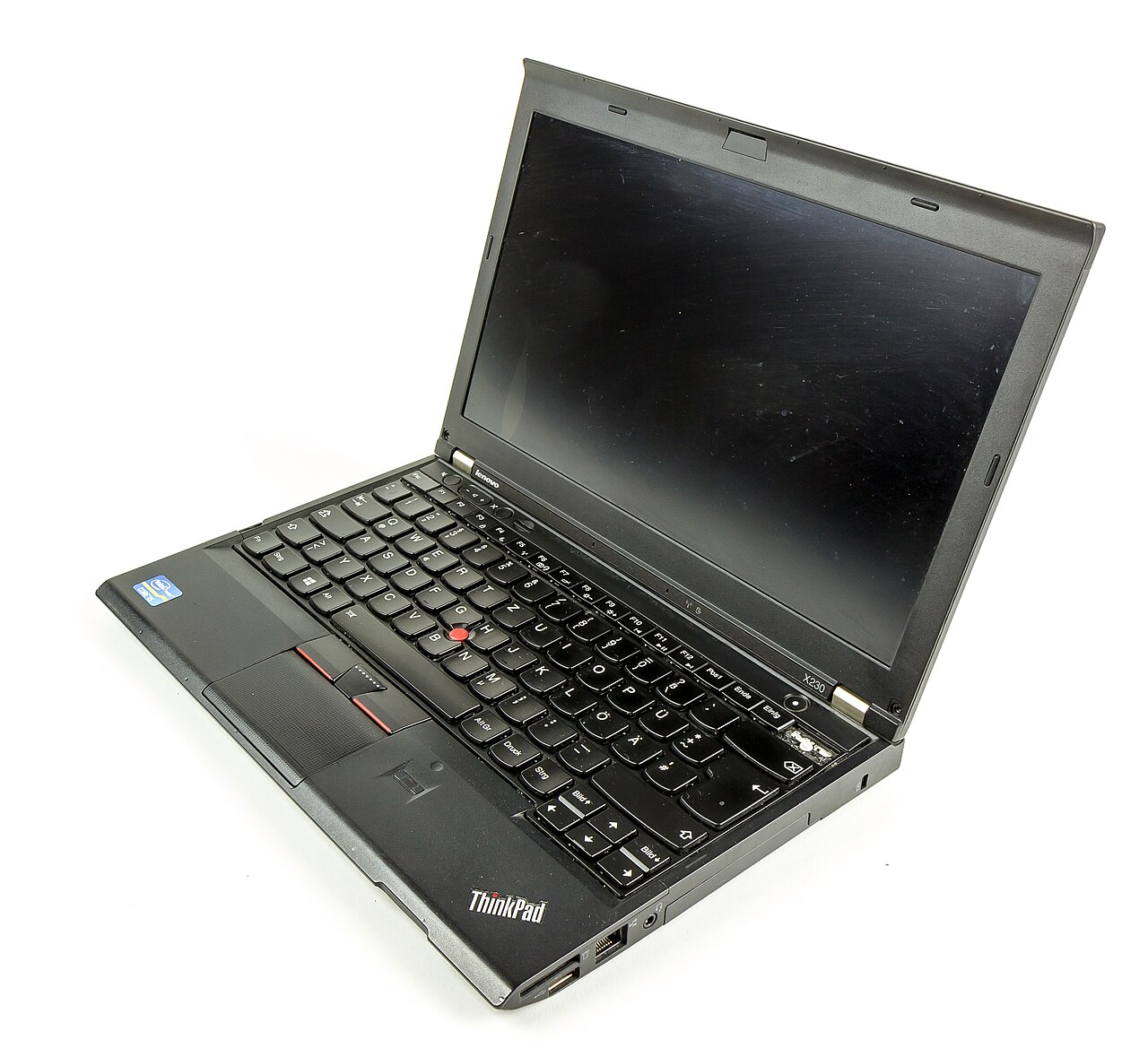
The X220’s faster Ivy Bridge successor — the moddable tiny ThinkPad.
Full breakdown
The X230 is the X220’s Ivy Bridge successor: faster 3rd-gen CPU, up to 16GB DDR3, the same 12.5" IPS-optional screen, but the 6-row keyboard. Like the T430 it is 1vyrain Coreboot-moddable, making it the favorite tiny laptop for the libre-firmware crowd. Many enthusiasts also perform the well-documented “classic keyboard mod,” swapping in an X220 7-row keyboard via a controller flash — so for a small machine with both a modern-ish CPU and the old keyboard, the X230 is the platform. At €120 with a tight €100–142 range, pricing is predictable. Germany is cheapest (around €151 asking).
- 2017 · 6/7th gen
- 32GB DDR4
- 14" FHD IPS
- Dual battery
- 6-row keyboard
The cheapest modern ThinkPad — DDR4, USB-C with Thunderbolt 3, dual battery.
Full breakdown
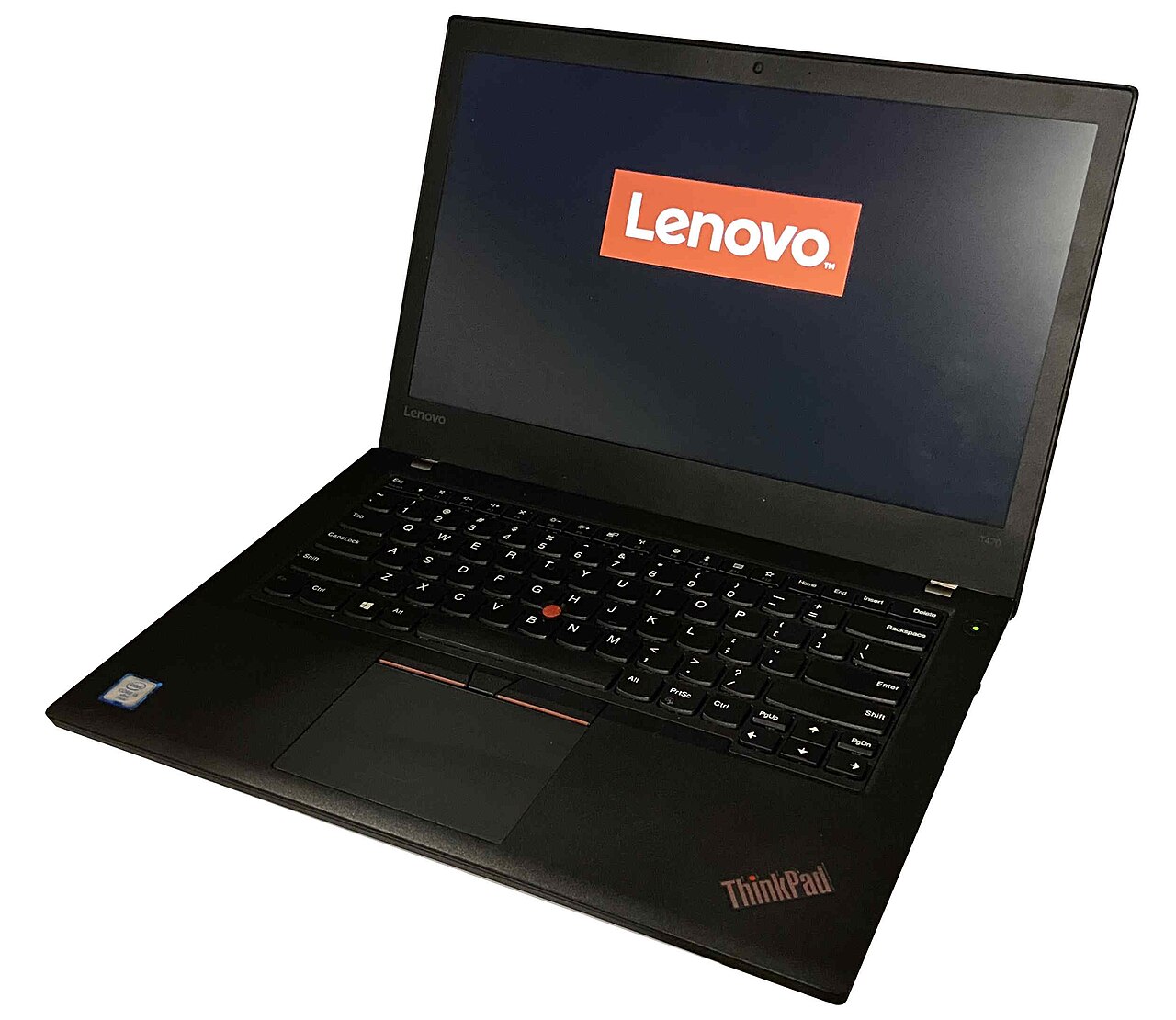
The T470 is the cheapest “modern” ThinkPad and the one to point most first-time buyers toward if the T480 is out of budget. It crosses the line to DDR4 RAM (up to 32GB across two slots), 6th/7th-gen CPUs, FHD IPS screen options, an M.2 slot alongside the 2.5" bay, USB-C with Thunderbolt 3, and the clever Power Bridge dual-battery system — an internal battery plus a hot-swappable external one. At €130 with an unusually tight €125–139 range, this is a low-risk buy: you know almost exactly what you will pay. Spain and the UK have the cheapest asking prices (around €166).
Tier 3: €150+ — The Best Used ThinkPads You Can Buy

- 2017 · 6/7th gen
- 16GB DDR4
- 12.5" FHD
- USB-C (no TB3)
- Dual battery
The last fully serviceable 12.5" ThinkPad — DDR4, USB-C, swappable battery.
Full breakdown
The X270 is the X-series sibling of the T470 and the last 12.5" X-series ThinkPad before Lenovo moved to thinner, soldered designs. That makes it special: a genuinely compact laptop that still has a user-replaceable DDR4 SO-DIMM, an M.2 slot plus a 2.5" bay, the Power Bridge dual battery, and USB-C — all serviceable. Two caveats vs the T470: a single RAM slot capped at 16GB (the T470 has two slots and 32GB), and a USB-C port that is not Thunderbolt 3 — so for maximum RAM or TB3 docking, the T470 or T480 is better. For the smallest modern ThinkPad you can still upgrade and repair, this is the end of the line. At €148 with a tight €128–163 range, UK/US cheapest on asking (around €158).
- 2016 · 6th gen
- 16GB LPDDR3 soldered
- 14" WQHD
- ~1.1kg
- 7 sold/mo
The thin-and-light flagship — ~1.1kg carbon fibre with a premium screen.
Full breakdown
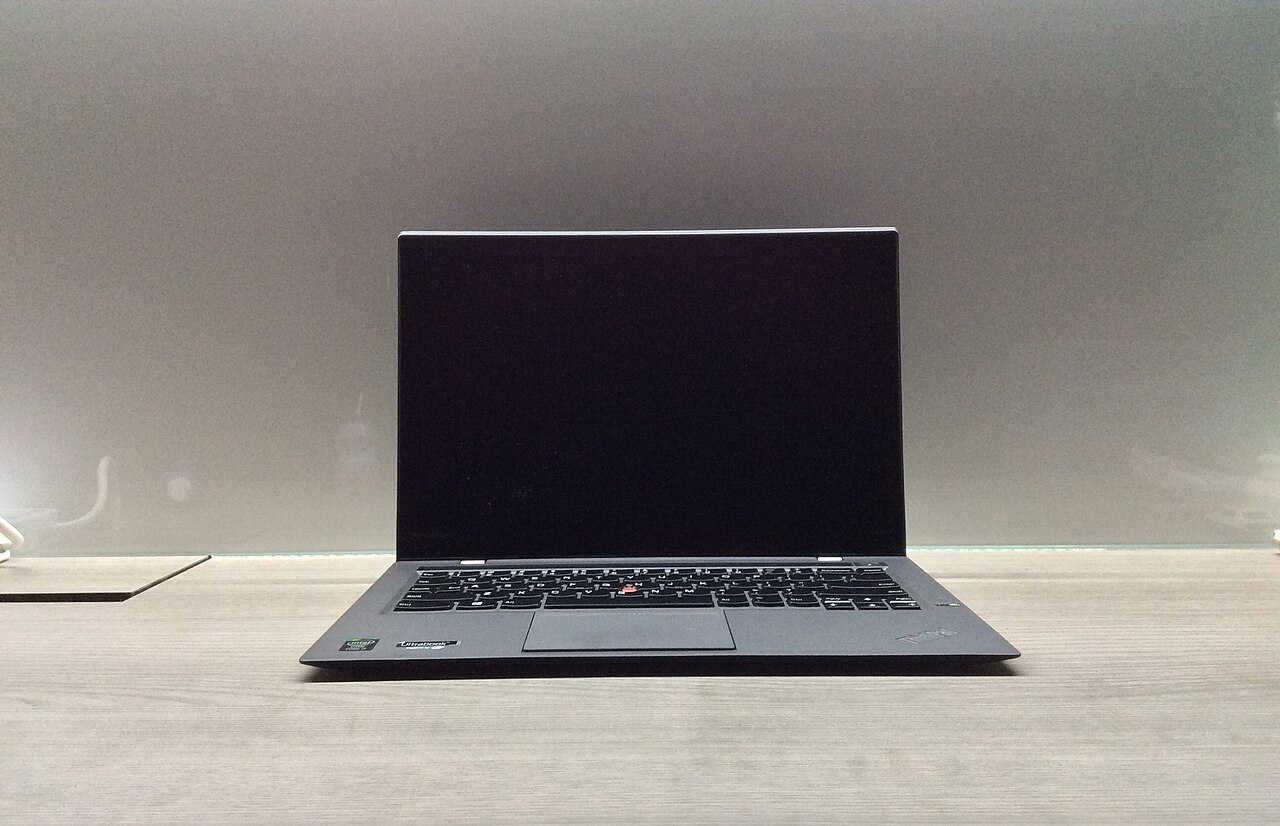
The X1 Carbon Gen 4 is the outlier: a 14" carbon-fibre ultrabook around 1.1kg with a premium FHD or WQHD IPS screen, competing with a MacBook Air on portability while keeping a ThinkPad keyboard. The compromises are the price of thinness — the RAM is soldered (buy the capacity you need up front), the battery is internal, and there is no Ethernet, no USB-C, and no Thunderbolt (a proprietary OneLink+ dock port instead). It runs 6th-gen Skylake. The €259 median sits on thin data — only 7 sold in 30 days — so treat it as approximate and check live listings carefully. Buy only if low weight is your top priority and you accept you cannot upgrade it; otherwise a T480 gives you more machine, more headroom, and more liquidity for less.
- 2018 · 8th gen
- Quad-core
- 32GB DDR4
- 14" FHD–WQHD
- USB-C + TB3
The best all-rounder — 8th-gen quad-core, 32GB DDR4, Thunderbolt 3, and the most liquid market.
Full breakdown
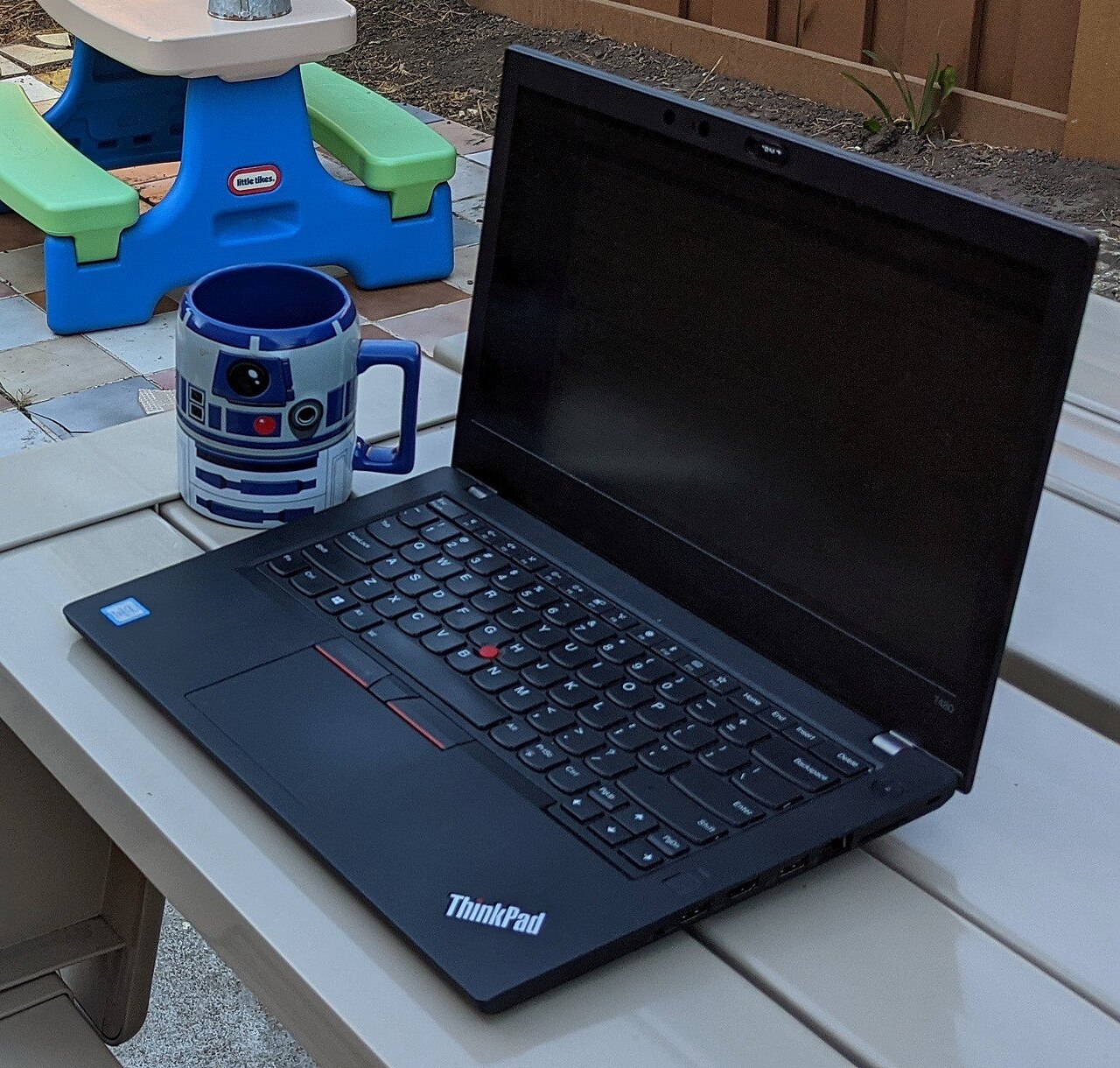
The T480 is the model to buy for one laptop that does everything well and stays current for years. It is the last “classic” serviceable T-series — its successor the T490 dropped the 2.5" bay and the Power Bridge swappable battery — so the T480 is the sweet spot of modern features and old-school repairability. You get 8th-generation Coffee Lake quad-core CPUs (a huge multi-core jump over the dual-core T470), up to 32GB DDR4 officially (64GB with two 32GB modules in practice), M.2 NVMe plus a 2.5" SATA bay, the dual-battery Power Bridge, a backlit keyboard, FHD IPS screens (optional WQHD/HDR), and — uniquely here — Thunderbolt 3 over USB-C.
It is also the most liquid model by a wide margin: 203 sold in 30 days, ten times the X-series volume, meaning stable pricing and endless listings. The €175 median has a wide €145–242 range because configs vary enormously — a base i5/8GB/256GB sits near the €145 floor, an i7/32GB/1TB/touch pushes past €242. The asking-vs-sold gap is at its most extreme here: listings ask €257–375 by country against a €175 sold median. Negotiate hard, anchor to €175, buy from France or the UK where asking starts lowest.
Intel CPU Generations: How Much Faster Is Each Step?
The generation digit in the model number maps directly to a CPU generation, and that is the biggest single driver of how fast a used ThinkPad feels. Here is how the representative chips compare on PassMark — single-thread rating (responsiveness, how snappy the machine feels day to day) and the multi-thread CPU Mark (heavy work like compiling, virtual machines, and many browser tabs). Figures pulled from cpubenchmark.net, June 2026.
| CPU | Generation | Cores | Single-thread | Multi-thread (CPU Mark) | Found in |
|---|---|---|---|---|---|
| i5-2520M | 2nd · Sandy Bridge | 2C / 4T | 1,344 | 2,240 | T420, X220 |
| i5-3320M | 3rd · Ivy Bridge | 2C / 4T | 1,605 | 2,658 | T430, X230 |
| i5-6300U | 6th · Skylake | 2C / 4T | 1,630 | 3,201 | X1 Carbon G4, early T470 |
| i5-7300U | 7th · Kaby Lake | 2C / 4T | 1,872 | 3,622 | T470, X270 |
| i5-8350U | 8th · Coffee Lake | 4C / 8T | 1,984 | 6,094 | T480 |
| i7-8650U | 8th · Coffee Lake | 4C / 8T | 2,099 | 6,189 | T480 (top spec) |
Two patterns matter for buyers. Single-thread performance climbs steadily — about 56% from the T420’s chip to the T480’s i7 — which is why even an old machine feels acceptable for browsing and writing. But the multi-thread jump from 7th to 8th generation is enormous: the CPU Mark nearly doubles (3,622 → 6,094, roughly +68%) because the 8th-gen Coffee Lake chips in the T480 doubled the physical core count from two to four at the same 15W power budget. That single leap is the strongest technical argument for stretching to a T480 if you do anything heavier than email and a browser — compiling code, running VMs, or editing photos. The old 35W dual-cores in the T420 and T430 now trail even the newer 15W parts in multi-threaded work.
Buying & Ownership
Other ThinkPad families worth knowing
The nine models above are the mainstream T and X machines most buyers should consider, but three other families come up often enough on the used market to be worth a paragraph each.
- W-series mobile workstations (W520, W530). These are the 15.6" muscle ThinkPads — quad-core CPUs, professional Quadro/FirePro graphics, and up to 32GB of DDR3 across four slots. They are the Sandy Bridge (W520, 2011) and Ivy Bridge (W530, 2012) analogues of the T520/T530, with the W530 being moddable via the same 1vyrain route as the xx30 generation. Buy one only if you specifically need a discrete GPU for CAD or 3D work; they are heavy, run hot, and the battery life is poor. Lenovo retired the W-series and replaced it with the P-series (P50/P70 onward).
- ThinkPad Yoga and P40 Yoga. These are the convertibles — 360° hinges, touchscreens, and a clever retracting “lift-and-lock” keyboard that flattens when you fold the screen back. The ThinkPad Yoga 460 / P40 Yoga (2016, Skylake) added a Wacom pen and an entry-level discrete GPU. They are a niche pick: good if you want pen input and a tablet mode, but you give up some repairability and the classic ThinkPad slab feel.
- X1 Carbon Generations 1–3 (2012–2015). The X1 Carbon line started before the Gen 4 covered above. Gen 1 (2012) was the original thin-and-light experiment; Gen 2 (2014) is the one to avoid, because it replaced the function-key row with a much-disliked capacitive touch strip; Gen 3 (2015) restored physical function keys. All have soldered RAM and internal batteries, like the Gen 4 — so the same “buy the spec you need up front” rule applies.
BIOS locks, whitelists & Coreboot
Two firmware quirks affect used ThinkPads, and one of them is a genuine buying risk while the other is an enthusiast opportunity.
The supervisor password lock. Because these are ex-corporate machines, some ship with a BIOS supervisor password still set by the previous IT department. On a ThinkPad this is not a trivial reset — it can block changes to boot order, virtualization, and security settings, and removing it can require physically reading or replacing an EEPROM chip. Always ask the seller to confirm the machine boots to a clean, unlocked BIOS setup, and treat a locked or unknown BIOS as a reason to walk away.
The Wi-Fi whitelist (a smaller annoyance). ThinkPads up to roughly the xx40 generation enforce a BIOS “whitelist” of approved Wi-Fi and WWAN cards, refusing to boot with an unapproved card installed. This matters if you want to upgrade the wireless card — you either need a whitelisted card or modded firmware. By the xx70 generation (T470, X270, T480) the whitelist was effectively gone.
Coreboot and 1vyrain (the opportunity). For privacy-focused buyers, the xx30 generation (T430, X230, W530) is special: the 1vyrain software exploit lets you remove the Wi-Fi whitelist, unlock advanced menus, and flash open-source firmware like coreboot, Skulls, or Heads — without a hardware programmer. This is the main reason the T430 and X230 retain a devoted following: they are among the easiest modern-ish laptops to fully de-corporatize. The older xx20 machines (T420, X220) also support coreboot, but typically need an external hardware flasher.
How to upgrade it
Part of the value of a used ThinkPad is that a cheap base config plus €40 of upgrades becomes a genuinely pleasant machine. The common upgrades, easiest first:
- Add an SSD. If a listing still ships with a mechanical hard drive, that is your first and biggest upgrade. Every model here has a 2.5" SATA bay; most also have a second slot (mSATA on the older machines, M.2 on the xx70/xx80). A SATA SSD transforms responsiveness for under €30.
- Max out the RAM. All the dual-slot models take 16GB (DDR3 era) or 32GB (DDR4 era). The exception is the X270 (single slot, 16GB) and the X1 Carbon (soldered — not upgradeable). DDR3 SO-DIMMs are nearly free now.
- Swap the screen. This is the upgrade that changes a ThinkPad the most. Many budget configs shipped dim 1366×768 TN panels; on the T420/T430 and X220/X230 there are well-documented FHD or IPS panel swaps, and on the X230 an X220 IPS panel is a popular transplant. It takes patience but no special tools.
- Replace the battery. Cheap and tool-free on every model except the X1 Carbon. Budget €20–40. Genuine Lenovo packs cost more but are safer and last longer than the cheapest generics.
- Upgrade the Wi-Fi card. Worthwhile for Wi-Fi 5/6 on the older machines — but mind the BIOS whitelist on xx20–xx40 models (see above).
Lenovo publishes the full Hardware Maintenance Manual for every model in this guide, free, with exploded diagrams and part numbers — so there is a factory-grade teardown guide for whatever you want to replace.
Running Linux
If you intend to run Linux, a used ThinkPad is the single safest hardware choice you can make. These machines are the de facto reference hardware for desktop Linux: the kernel has supported the relevant Intel chipsets, Wi-Fi cards, and TrackPoints for years, so distributions like Fedora, Ubuntu, Debian, and Arch install with everything working out of the box — sleep, function keys, fingerprint readers on supported models, and all. The older Sandy/Ivy Bridge machines (T420, T430, X220, X230) are especially popular as lightweight Linux laptops because their integrated graphics are completely free-driver friendly and the hardware is cheap enough to experiment on. Pair an xx30 machine with coreboot and a libre distribution and you have one of the most fully open, fully supported laptops available at any price.
How to find a good deal on eBay
The mechanics of buying used hardware well are simple and the same every time. Here is the workflow that turns the data above into an actual purchase.
- Start from the sold price, never the asking price. Look up the model’s median on its pcprice.watch page. That is your target. Every listing above it is a negotiation; every listing below it is a potential bargain worth investigating for why it’s cheap.
- Sort eBay by “Price + postage: lowest first” and filter to Sold items. Sold listings show you what real units cleared at, including the Best Offers sellers accepted (often well under the asking price). This is the ground truth.
- Compare across countries. Because prices here are normalized to euros, you can see that a T440p is €90 in Poland and €217 in the US. Factor in shipping and import duties, but for higher-value models the cross-border saving often wins.
- Read the full description and demand real photos. Stock photos are a red flag. You want photos of the actual unit, the actual screen powered on, and ideally a shot of the BIOS or system-information screen.
- Check seller feedback. Above 99% positive with a meaningful feedback count. Business refurbishers with thousands of sales are usually a safer bet than a one-off private seller, and often include a short warranty.
- Make a Best Offer at the sold median. Don’t be shy. The asking price is the seller’s opening bid; the sold median is the market’s answer.
What to check before you buy
A used ThinkPad is low-risk, but a handful of issues can turn a bargain into a headache. Confirm these before you pay.
- BIOS supervisor password lock. This is the big one. Ex-corporate machines can ship with a locked BIOS that blocks boot-order changes and settings — and on ThinkPads it is genuinely difficult to remove. Ask the seller to confirm the machine boots to a clean, unlocked BIOS setup. Walk away if they can’t.
- Battery health. A decade-old battery may hold almost no charge. This isn’t a dealbreaker — replacements are cheap and user-swappable on every model here except the X1 Carbon — but factor €20–40 for a new battery into your budget. Genuine Lenovo packs cost more than generics but last longer and are safer.
- Screen panel. Many budget configs shipped dim, low-resolution TN displays. On the older models, an IPS panel (X220/X230) or an FHD screen (T440p onward) is worth paying extra for. Confirm the resolution and panel type in the listing — sellers who know they have an IPS or FHD unit will say so.
- RAM and storage path. Know what you can upgrade: DDR3 on the xx20/xx30/xx40 machines, DDR4 from the xx70/xx80 on. Most models here have two storage options (a 2.5" bay plus mSATA or M.2), so adding an SSD or a second drive is trivial and cheap.
- Webcam, ports, and hinges. Minor, but check the listing photos: cracked hinges, missing rubber feet, and dead USB ports are common on ex-fleet machines and are bargaining chips even when they’re not dealbreakers.
Frequently Asked Questions
Which used ThinkPad is the best value in 2026?
For most people the ThinkPad T480 is the best all-round value: it clears at a median of about €175 used on eBay, and for that you get an 8th-generation quad-core CPU, up to 32GB of DDR4 (64GB with two 32GB modules in practice), two storage bays (M.2 NVMe plus 2.5" SATA), Thunderbolt 3, and a serviceable dual-battery design. If your budget is tighter, the T430 (€96) or T440p (€102) give you a repairable 14-inch machine for under a third of that. The T480 is also by far the most liquid model — over 200 sold per month in our data — so prices are stable and you have plenty of listings to choose from.
How much should I pay for a used ThinkPad T480?
Aim for €145–175. The T480 median sold price was €175 in June 2026, with the middle half of sales landing between €145 and €242. The wide top end reflects high-spec configs (i7, 32GB RAM, 1TB NVMe, touch or WQHD screen); a base i5 / 8GB / 256GB unit should cost closer to the €145 floor. Watch the asking-vs-sold gap: live listings ask anywhere from €257 (France) to €375 (Spain), so paying sticker means overpaying by +47% to +114% versus what units actually clear at.
Why are eBay asking prices so much higher than what ThinkPads sell for?
Because asking prices include every optimistic and stale listing that never sells, while the sold price is what buyers actually agreed to pay. On the T480, the median live asking price is roughly €257–375 across markets, but the median sold price is €175. That gap is your negotiating room. The rule is simple: ignore the asking price and anchor your offer to the sold-listing median.
Is the older 7-row ‘classic’ ThinkPad keyboard worth chasing?
If typing feel is your priority, yes — and it narrows your search to a specific generation. The classic 7-row keyboard was the last used on the T420 and X220 (2011, Sandy Bridge). From the T430 and X230 onward (2012) Lenovo switched to the 6-row chiclet layout that all later models use. The xx20 machines are cheap — the T420 clears at €84, the X220 at €107 — which is part of why they remain a cult favorite. Enthusiasts also mod a classic keyboard into an X230, but that requires a controller (EC) flash and isn’t beginner-friendly.
Where is the cheapest place to buy a used ThinkPad?
It depends on the model, which is why comparing markets pays off. In our June 2026 data, Germany has the cheapest asking prices for the older T-series (T420 ~€100, T430 ~€130, X230 ~€151), Poland is cheapest for the T440p (~€90), and Spain or the UK tend to be cheapest for the newer T470, T480, and X270. Because all prices are normalized to euros and sold data is aggregated across seven markets, you can check each model’s live per-country prices on its pcprice.watch page before you commit to a seller’s country.
What should I check before buying a used ThinkPad on eBay?
Five things: (1) that the BIOS is not supervisor-password locked — ask the seller to confirm it boots to a clean setup; (2) battery health, since a decade-old battery may hold little charge; (3) the screen panel, because many budget configs shipped low-resolution TN displays and an IPS or FHD panel is worth paying for; (4) the storage and RAM type so you know your upgrade path (DDR3 on xx20/xx30/xx40, DDR4 from xx70 on); and (5) seller feedback above 99% with clear photos of the actual unit, not stock images.
Sources & Methodology
Pricing: pcprice.watch eBay sold-listing scanner, 7 markets (US, UK, DE, FR, IT, ES, PL), updated 22 June 2026. Medians and percentiles are computed from completed sales over a rolling 30-day window; “live asking” figures are medians of current active listings. Sold volumes vary by model — treat low-volume figures (X1 Carbon Gen 4, 7 sales/30d) as approximate.
Specifications and benchmarks: CPU performance figures are from PassMark / cpubenchmark.net (per-CPU pages, June 2026). Model specifications are drawn from official Lenovo PSREF spec sheets and corroborated against Notebookcheck hardware reviews. BIOS-modding claims (1vyrain, coreboot) reference the n4ru/1vyrain project and the Coreboot-ThinkPads wiki. Model-number naming follows Lenovo’s published conventions.
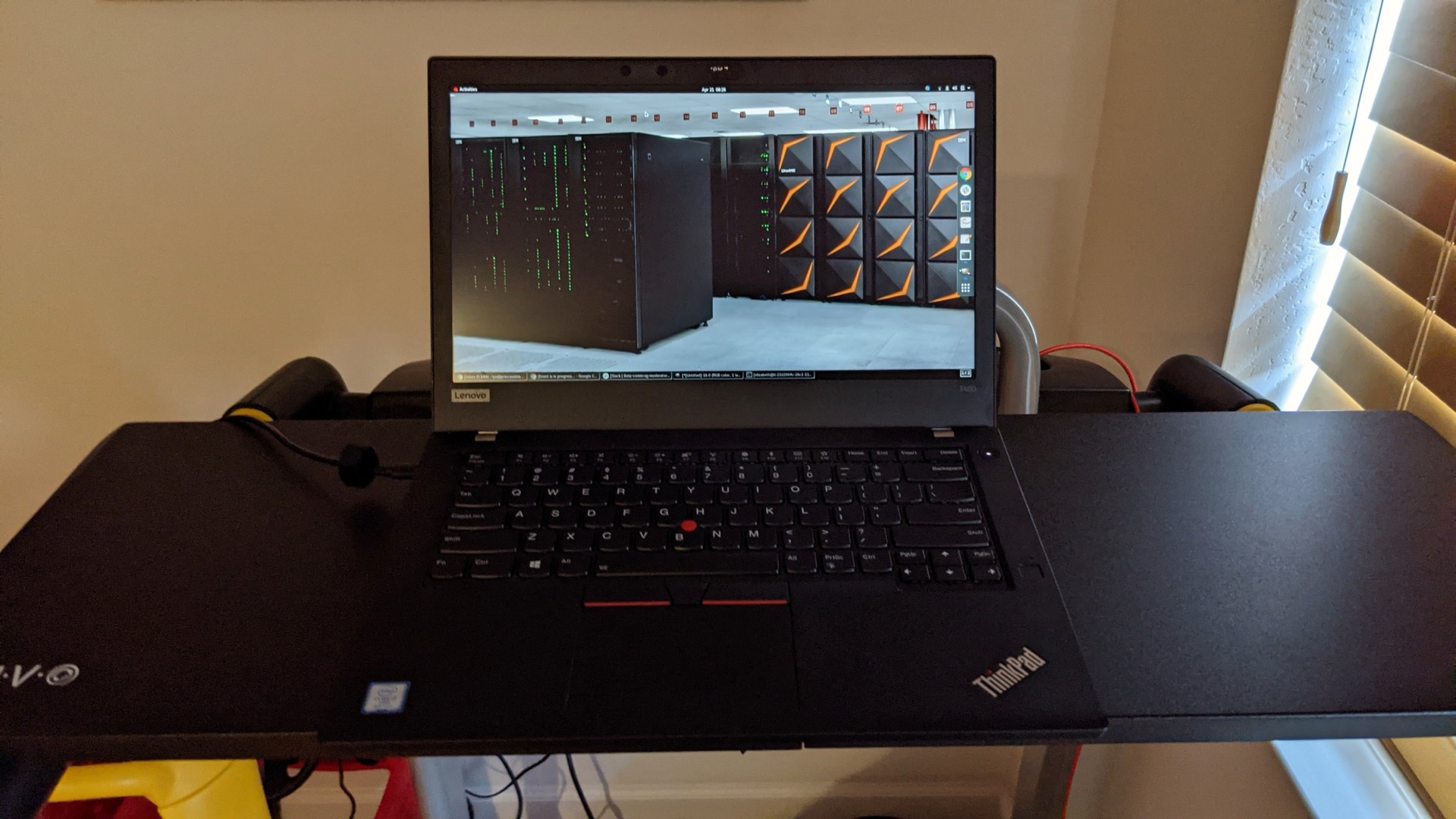
Image credits: Model photographs are from Wikimedia Commons under the licenses noted on each: T420 (Sven, CC BY 2.0), T430 (Albert György, CC BY 4.0), T440p (AnVuong1222004, CC BY-SA 4.0), X220 (Robert Kloosterhuis, CC BY 2.0), X230 (Raimond Spekking, CC BY-SA 4.0), T470 (NickW1129, CC0), T480 (Elizabeth K. Joseph, CC BY 2.0), X1 Carbon (Elroygoh, CC BY-SA 4.0), and the 6-row keyboard (Vitaly Zdanevich, CC0). Charts are original pcprice.watch graphics.
By MariosTheof, founder of pcprice.watch. The site has tracked eBay used-hardware prices across 7 national markets since January 2025.